
Site Publisher2.6.125 - Download
You'll be able to download in few seconds.
Publisher Description
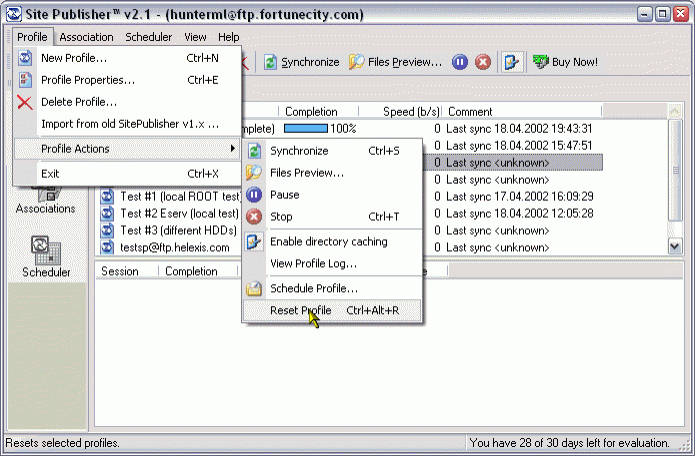
Looking for an easy way to upload files to your web site? We know a solution! We designed special utility to simplify work with remote and local files of your web site.
Anyone involved in site development and maintenance has faced the problem of tracking updated/modified files that need to be uploaded to the server, or files that need to be removed since you don't need them anymore. It's not easy task if you have about 20 htmls/files, but it's becoming completely impossible if you have more than 100 files!
The question is: "Is it possible to make the site owner's life easier and automate the process of updating pages and files?" YES! The life becomes much easier with our Site Publisher - a friendly FTP client developed specially to meet webmaster's and site owner's needs. This program allows you to detect modified files automatically and upload them to your web-server with just a single click. It supports transfer resuming and multisession transfers. Unique Files Preview mode can be used to control synchronization process and to create Profiles for every of your web site.
About Site Publisher
This FTP Clients program is available in English, Czech, French, German, Italian, Russian, Spanish. It was last updated on 29 September, 2026. Site Publisher is compatible with the following operating systems: Windows, Windows-mobile.
The company that develops Site Publisher is Helexis Software Development. The latest version released by its developer is 2.6.125.
The download we have available for Site Publisher has a file size of 2.1 MB. Just click the green Download button above to start the downloading process. The program is listed on our website since 2009-11-01 and was downloaded 0 times. We have already checked if the download link is safe, however for your own protection we recommend that you scan the downloaded software with your antivirus. Your antivirus may detect the Site Publisher as malware if the download link is broken.
How to install Site Publisher on your Windows device:
- Click on the Download button on our website. This will start the download from the website of the developer.
- Once the Site Publisher is downloaded click on it to start the setup process (assuming you are on a desktop computer).
- When the installation is finished you should be able to see and run the program.
Program Details
General
System requirements
Download information
Pricing
Version History
version 2.6.125
posted on 2009-11-01
Fixed problem with switching to non-English language. Improved handling of Windows power states
version 2.5.77
posted on 2007-05-22
Added workaround for some FTP servers that suddenly drops connection after QUIT command without reply. Added some advanced diagnostic for Dialup Connections.
Disclaimer
External Download
We do not host Site Publisher on our servers. We did not scan it for viruses, adware, spyware or other type of malware. This app is hosted by the software publisher and passed their terms and conditions to be listed there. We recommend caution when installing it.
The external download link for Site Publisher is provided to you by apps112.com without any warranties, representations or guarantees of any kind, so access it at your own risk.
If you have questions regarding this particular app contact the publisher directly. For questions about the functionalities of apps112.com contact us.
